XBOX Series X|S: How to Remove CoD: Modern Warfare 4 Ad Background
This promotional wallpaper was added due to a new setting in the console's customization options, which allows Microsoft to replace your wallpaper with "event-themed" ones. The event can be the launch of a game or even a holiday or other celebratory day, but for now it has been used for the launch of the new CoD.
To disable this feature, go to the console settings, General section, then select Personalization and finally Wallpaper. Here you will find the option "Display event-themed wallpapers", which you just need to deactivate:
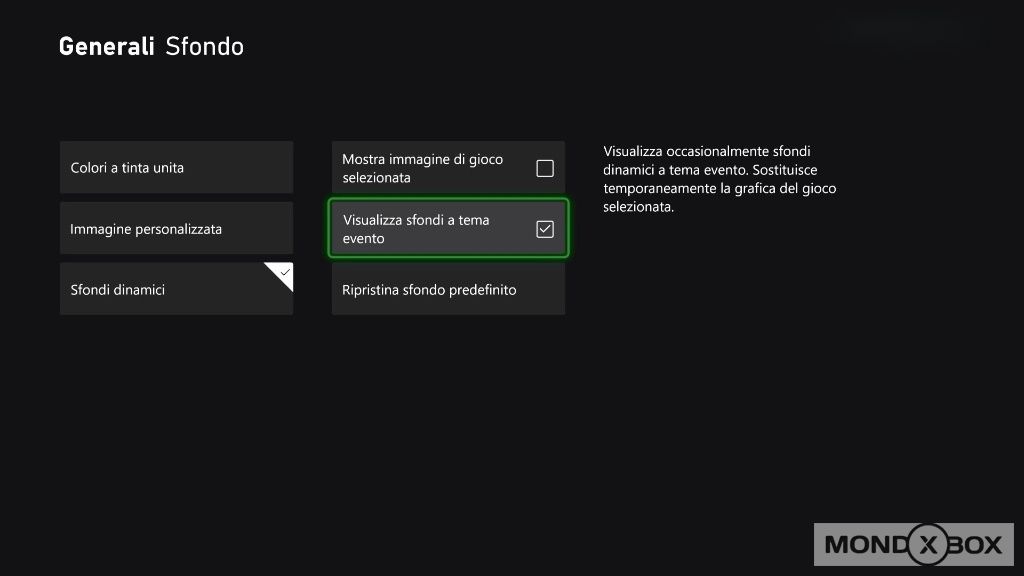
Once this is done, returning to the Home page you will find your usual personalized background to greet you. From this moment on, you will no longer receive "event-themed" wallpapers.
We leave you with a video that shows the deactivation process.
